Connection USB-C
Displays Up to 1
Power 85W PD
Driver Native
This page contains affiliate links. We may earn a commission at no extra cost to you. Read our affiliate disclosure.
 By Adrian Cel
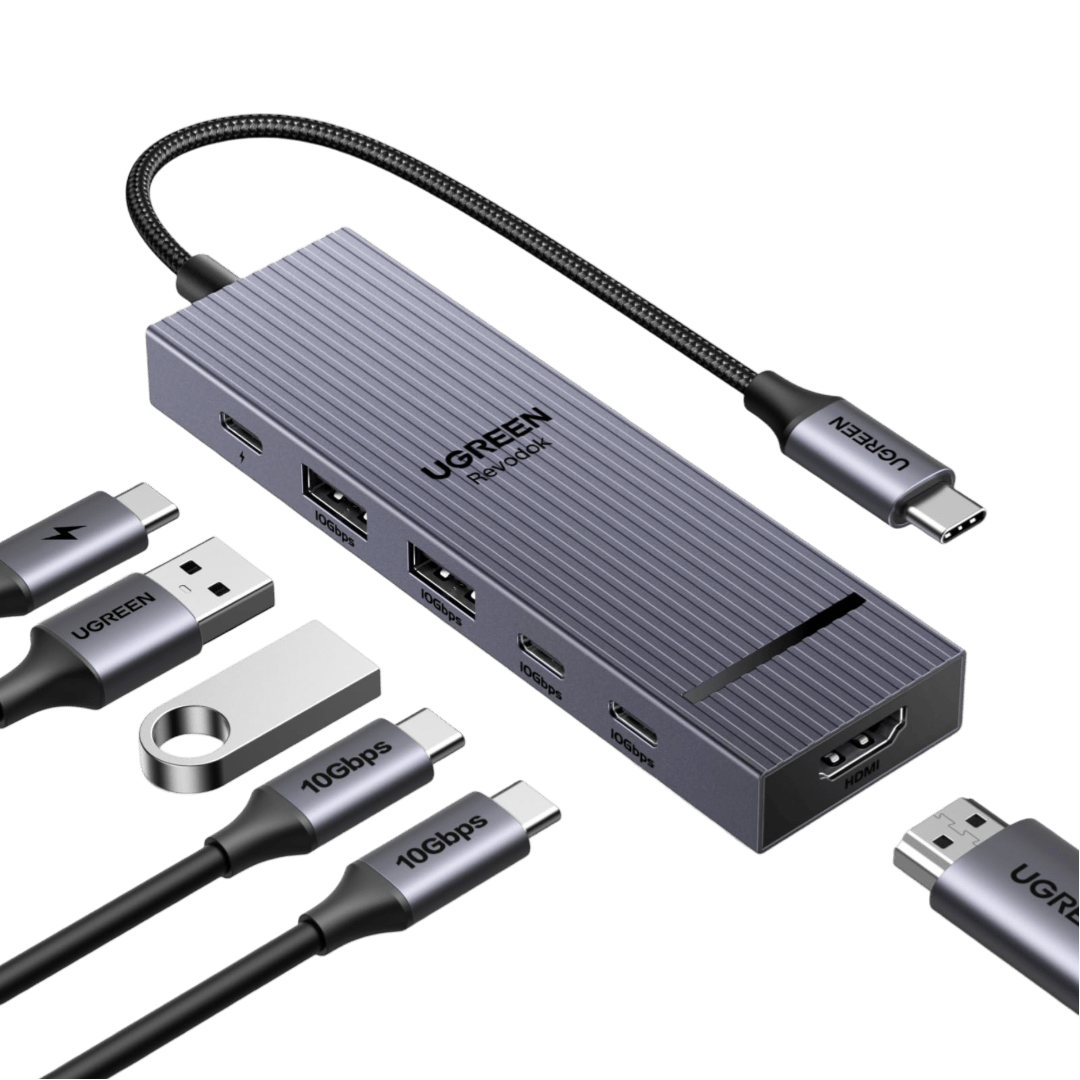
The UGREEN Revodok Pro 108 is a small 8-in-1 USB-C hub for a laptop or tablet that needs one 4K60 HDMI display, card readers, fast USB ports, and charger passthrough without carrying a full desktop dock. UGREEN identifies it as model 75027, and Amazon.com lists the same product under ASIN B0DY1BD3T2. The layout includes one HDMI output, two USB-C data ports, two USB-A data ports, SD and microSD readers, and a USB-C Power Delivery input. UGREEN's product page says three data ports reach 10Gbps, while its hardware-interface row also identifies a USB 2.0 Type-A interface. That is a useful warning for buyers who expect every data socket to run at SSD speed. The HDMI port reaches 4K at 60Hz on a compatible host, but it is the only video output. The USB-C data ports do not carry video, and this is a USB-C DisplayPort Alt Mode hub rather than a DisplayLink or Thunderbolt dock. It suits a MacBook, Windows laptop, Chromebook, iPad, phone, or handheld only when the host USB-C port supports the features you need, especially video output for HDMI.
Workaround: Use a dual-display USB-C, DisplayLink, or Thunderbolt dock if your setup needs two external monitors.
Workaround: Check that the laptop, tablet, or phone supports USB-C video output before buying.
Workaround: Connect a monitor through HDMI only. Use the USB-C ports for storage and peripherals.
Workaround: Use that port for low-speed devices such as a mouse, keyboard, or wireless receiver, and connect SSDs to the 10Gbps ports.
Workaround: Use a USB-C PD charger with enough headroom. Keep the original charger connected directly for laptops that need more than 85W.
Workaround: Test HDMI, charging, card readers, and your main peripherals during the return window. Keep the hub uncovered during heavy charging or transfers.
| General | |
| Manufacturer | UGREEN |
| Model | 75027 |
| Connectivity | |
| Host Connection | USB-C |
| Max Data Rate | 10 Gbps |
| Driver Required | No (native) |
| Display Output | |
| Max Displays | 1 |
| 1x Display | 3840x2160 @ 60Hz (One HDMI display up to 4K at 60Hz on a compatible USB-C DisplayPort Alt Mode host. UGREEN notes that only HDMI supports video output.) |
| Ports (5+ total) | |
| USB-C 3.2 | 2x |
| USB-A 3.2 | 1x |
| USB-A 2.0 | 1x |
| HDMI 2.0 | 1x |
| SD Card Reader | 1x |
| microSD Card Reader | 1x |
| Power | |
| Power Input | USB-C |
| Laptop Charging | Up to 85W |
Works as a standard USB-C hub when the host USB-C port supports DisplayPort Alt Mode for HDMI.
Supports USB peripherals, cards, passthrough charging, and one HDMI display. It does not add native display capacity to base Apple Silicon Macs.
UGREEN lists Chromebook compatibility. HDMI still needs USB-C video output from the Chromebook.
UGREEN lists iPad, iPhone, and Galaxy devices. Video, charging, and external-storage behavior depend on the USB-C device.
HDMI output will not work
Only one external display is supported
Passthrough charging may be insufficient
One USB-A port is listed as USB 2.0
Very Good
The Revodok Pro 108 makes more sense as a travel and occasional desk hub than as a permanent docking station. It has the bits that are easy to miss on cheaper adapters: 4K60 HDMI instead of 4K30, both SD and microSD slots, two USB-C data ports, and a dedicated Power Delivery input. The 30cm built-in host cable is convenient in a bag, although it limits where the hub can sit on a desk. UGREEN rates the PD input at 100W but reserves 15W for the hub, so a connected laptop can receive up to 85W. That is enough for many thin-and-light laptops, but it is not a replacement for a high-power gaming or workstation charger. Amazon's listing showed a 4.6 out of 5 rating from 2,416 global ratings during this review. Its review summary praised the port selection and build quality, while compatibility, heat, and long-term reliability received mixed feedback. The main limitation is bandwidth and display scope. You get one HDMI monitor and shared USB-C bandwidth, not a multi-monitor dock or four independent 10Gbps SSD connections at full speed. Choose it for a compact one-monitor setup with fast storage and camera cards. Choose a larger dock if you need Ethernet, audio, dual displays, a detachable host cable, or more than 85W to the laptop.

