Connection USB-C
Displays Up to 2
Power 85W PD
Driver Native
This page contains affiliate links. We may earn a commission at no extra cost to you. Read our affiliate disclosure.
 By Adrian Cel
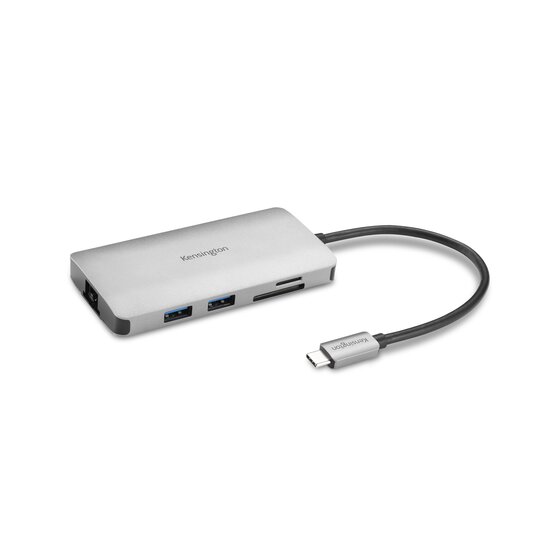
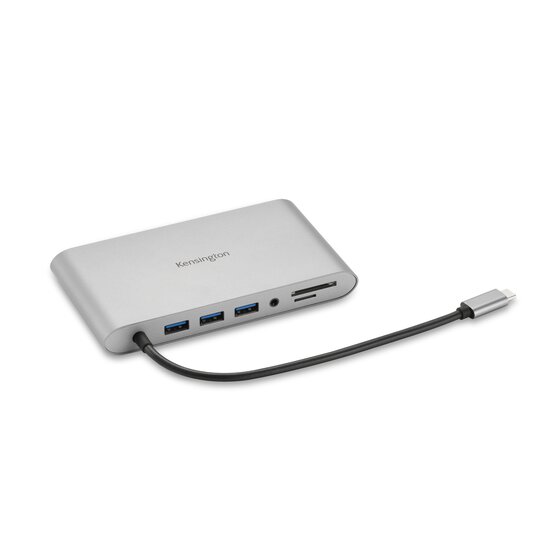
The Kensington SD1700P is a USB-C travel dock that tries to replace both a multiport adapter and a phone charging pad. Model K32800WW has two HDMI 2.0 ports, two USB-A 3.2 Gen 2 ports, one USB-C 3.2 Gen 2 data port, Gigabit Ethernet, a USB-C Power Delivery input, and an integrated Qi pad. Kensington rates the data ports at 10Gbps, the Qi pad at up to 10W, and laptop power pass-through at up to 100W when you connect an 85W or higher USB-C charger. It does not include that charger. The 11-inch braided host cable tucks into the body with magnets, which is useful when the dock goes in a bag. Kensington lists dual 4K at 60Hz over HDMI for compatible Windows hosts using HBR3 plus DSC. macOS, iPadOS, and Samsung DeX are limited to one 4K60 screen, with macOS able to mirror the two HDMI outputs. Amazon's US listing confirms ASIN B0BM926TQT and showed a 3.1-star average from four global ratings during research. Kensington listed the dock at $139.99.
Workaround: Check the laptop documentation for USB-C DisplayPort 1.4, HBR3, and DSC support. Use one 4K display if the host cannot supply enough video bandwidth.
Workaround: Choose a Thunderbolt dock for a Mac that supports multiple native displays, or a DisplayLink dock if software-driven extra displays suit your setup.
Workaround: Use an 85W or higher USB-C Power Delivery charger if you want simultaneous laptop charging, dock functions, and Qi charging.
Workaround: Connect a USB-C charger to use the Qi pad and dock functions at the same time.
Workaround: Use a separate reader or adapter, or choose a hub with the specific ports your workflow needs.
Workaround: Buy from a seller with easy returns and test monitors, Ethernet, pass-through charging, and Qi charging during the return window.
| General | |
| Manufacturer | Kensington |
| Model | K32800WW |
| MSRP | $139.99 |
| Connectivity | |
| Host Connection | USB-C |
| Max Data Rate | 10 Gbps |
| Driver Required | No (native) |
| Display Output | |
| Max Displays | 2 |
| 1x Display | 3840x2160 @ 60Hz (One 4K@60Hz monitor through either HDMI 2.0 port on a compatible USB-C DisplayPort Alt Mode host.) |
| 2x Display | 3840x2160 @ 60Hz (Windows can use dual 4K@60Hz through both HDMI ports when the host supports HBR3 with DSC 1.2. macOS can mirror the HDMI outputs but does not get two extended displays.) |
| Ports (6+ total) | |
| USB-A 3.2 | 2x (4.5W) |
| USB-C 3.2 | 1x (4.5W) |
| USB-C | 1x (100W) |
| HDMI 2.0 | 2x |
| Ethernet (RJ45) | 1x 1 Gbps |
| Power | |
| Power Input | USB-C |
| Laptop Charging | Up to 100W |
Kensington lists Windows 10 or above. Dual 4K@60Hz needs a USB-C DisplayPort Alt Mode host with HBR3 and DSC 1.2.
Kensington lists macOS 11 or above. It supports one external 4K@60Hz display, and dual HDMI output is mirrored rather than extended.
Kensington lists Samsung DeX support. Samsung DeX is limited to one external display at up to 4K@60Hz, subject to the device.
No HDMI video output
Dual HDMI mirrors rather than extends on macOS
Single external display support
No included power adapter
Good
The SD1700P solves a specific hybrid-work problem well: one compact unit can supply desk ports, wired networking, two HDMI connections on a capable Windows laptop, and a charging spot for a phone. The Qi surface is the point of difference. With a USB-C charger connected, you can use the dock and charge a Qi-compatible phone at the same time. In bus-powered mode, Kensington says you must choose either docking or Qi charging with its toggle switch. That makes it more versatile than a typical hub, but it is not a substitute for a powered desktop dock. There are two important limits. First, this is a driverless DisplayPort Alt Mode dock, so a USB-C port without video output cannot feed its HDMI ports. Second, the dual-4K claim is Windows-specific and needs the right HBR3 plus DSC host. Mac users get one external 4K60 display, while the two HDMI outputs can mirror rather than extend. The same single-display limit applies to iPadOS and Samsung DeX. The 10Gbps USB ports and Gigabit Ethernet are useful for a small dock, but there are no card readers, audio jack, DisplayPort, or included charger. It is a sensible pick for a Windows laptop owner who wants a portable desk connection with wireless phone charging and two HDMI monitors. It is less convincing for frequent ultralight travel because independent reviewers found the roughly 11-ounce body heavy for a mobile hub. The small, mixed Amazon review pool is another reason to buy from a seller with an easy return process and test video, pass-through charging, Ethernet, and Qi charging right away.


Plugable