Connection USB-C
Displays Up to 2
Power 85W PD
Driver Native
This page contains affiliate links. We may earn a commission at no extra cost to you. Read our affiliate disclosure.
 By Adrian Cel
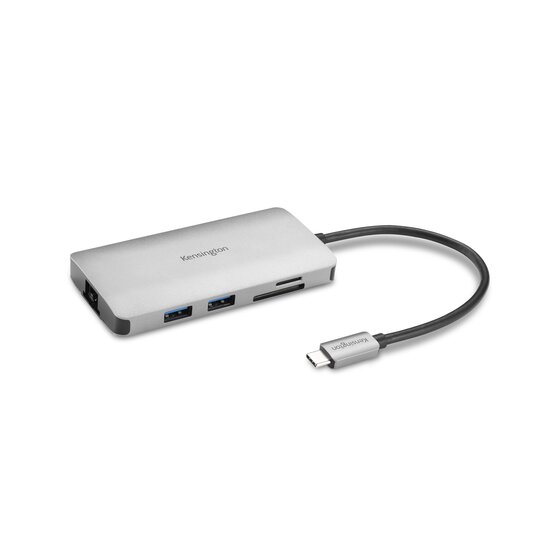
The Kensington UH1450P is a compact USB-C mobile dock built around two DisplayPort 1.4++ outputs instead of the usual HDMI port mix. Kensington sells it as the UH1450P USB-C Mobile Dock, model K36900WW, with a built-in 6.7-inch USB-C host cable, 10Gbps USB data, up to 85W USB-C Power Delivery pass-through, two USB-A ports, one USB-C data port, one USB-C power input, and Gigabit Ethernet. The official spec table lists USB-C Alt Mode connection technology, two additional screen outputs, driverless plug-and-play setup, and a host requirement for both Power Delivery and DisplayPort Alt Mode over USB-C. Its headline display mode is dual 4K at 60Hz on Windows when the host supports DisplayPort 1.4 with DSC. Kensington also notes two big exceptions: iPadOS and Samsung DeX get single-monitor support up to 1080p at 60Hz, while macOS supports dual video only in mirror mode, not extended desktop, up to 4K at 60Hz. Amazon confirms the US ASIN as B0CC91SD26 and showed the listing in stock during research with a 3.6-star rating from 12 reviews. Kensington's own store listed the dock at $59.99.
Workaround: Mac users who need two extended displays should use a Thunderbolt dock on a Mac that supports multiple external displays, or a DisplayLink dock if software-driven extra displays are acceptable.
Workaround: Check the laptop spec sheet for DisplayPort 1.4 over USB-C and DSC support before buying. Older USB-C Alt Mode hosts may fall back to lower resolutions or refresh rates.
Workaround: Use DisplayPort monitors or carry adapters. Choose the UH1440P or UH1400P if you need HDMI or card readers in a Kensington mobile hub.
Workaround: Pair the dock with an 85W or higher USB-C PD charger. A 100W charger gives better headroom for the dock and laptop together.
Workaround: Buy from a seller with easy returns and test dual displays, charging, USB, and Ethernet during the return window.
| General | |
| Manufacturer | Kensington |
| Model | K36900WW |
| MSRP | $59.99 |
| Connectivity | |
| Host Connection | USB-C |
| Max Data Rate | 10 Gbps |
| Driver Required | No (native) |
| Display Output | |
| Max Displays | 2 |
| 1x Display | 3840x2160 @ 60Hz (Single 4K@60Hz through either DisplayPort 1.4++ output on a compatible USB-C DisplayPort Alt Mode host.) |
| 2x Display | 3840x2160 @ 60Hz (Dual 4K@60Hz is listed for Windows devices with DSC enabled and a host that supports DP 1.4. macOS is limited by Kensington to mirrored dual video, not extended desktop.) |
| 1x Display | 1920x1080 @ 60Hz (Kensington lists iPadOS and Samsung DeX as single-monitor modes up to 1080p@60Hz.) |
| Ports (6+ total) | |
| USB-A 3.2 | 1x (7.5W) |
| USB-A 3.2 | 1x (4.5W) |
| USB-C 3.2 | 1x (4.5W) |
| USB-C | 1x (85W) |
| DisplayPort 1.4++ | 2x |
| Ethernet (RJ45) | 1x 1 Gbps |
| Power | |
| Power Input | USB-C |
| Laptop Charging | Up to 85W |
Kensington lists Windows 10 or above. Dual 4K@60Hz requires a host that supports USB-C DisplayPort Alt Mode with DP 1.4 and DSC.
Kensington lists macOS 11 or above, but says macOS dual video is mirror mode only, not extended desktop, up to 4K@60Hz.
Kensington lists Samsung DeX support for compatible Galaxy, Note, and Tab devices, with single-monitor output up to 1080p@60Hz.
No DisplayPort video output
Kensington lists dual video as mirror mode only on macOS
Single-monitor support only
No HDMI output
Good
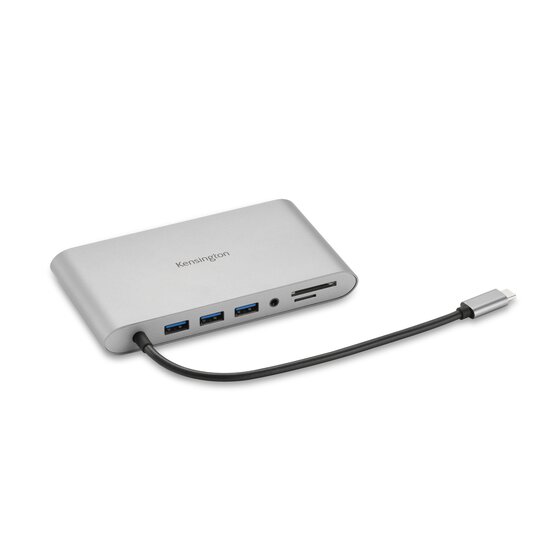
The UH1450P is best treated as a specialist travel dock for Windows laptops that already have USB-C DisplayPort Alt Mode, USB4, or Thunderbolt and need two DisplayPort monitors. That is a narrower target than a typical USB-C hub, but it makes sense in offices where the monitors are already DisplayPort and the laptop bag does not have room for a full desktop dock. The port list is plain but useful: two 10Gbps USB-A ports for everyday accessories, a 10Gbps USB-C data port, Gigabit Ethernet, and a separate USB-C input for pass-through charging. There are no card readers, audio jack, HDMI, or downstream Thunderbolt ports. The display story needs careful reading. On a capable Windows host, this can drive single or dual 4K at 60Hz through the two DisplayPort 1.4++ outputs, with DSC doing the heavy lifting for dual 4K. On macOS, Kensington calls out mirror mode for dual video, so it is a poor choice if you want two separate extended Mac desktops. It also does not use DisplayLink, so it will not bypass base Apple Silicon external-display limits. For iPadOS and Samsung DeX, Kensington lists one external display up to 1080p at 60Hz. The 85W charging claim also depends on the charger you plug into the dock. Kensington says to use an 85W or greater USB-C adapter, and its optional 100W adapter is sold separately. Buy the UH1450P if you want a small, driverless, dual-DisplayPort Windows travel dock with Ethernet and 10Gbps USB. Skip it for Mac dual-monitor work, HDMI-first desks, SD card workflows, or any setup where you need a dock that brings its own power supply. The Amazon review pool is small and mixed at 3.6 stars from 12 reviews, so I would only buy it from a seller with easy returns and test dual 4K, charging, and Ethernet in the first week.


Plugable