Connection USB-C
Displays Up to 1
Power 60W PD
Driver Native
This page contains affiliate links. We may earn a commission at no extra cost to you. Read our affiliate disclosure.
 By Adrian Cel
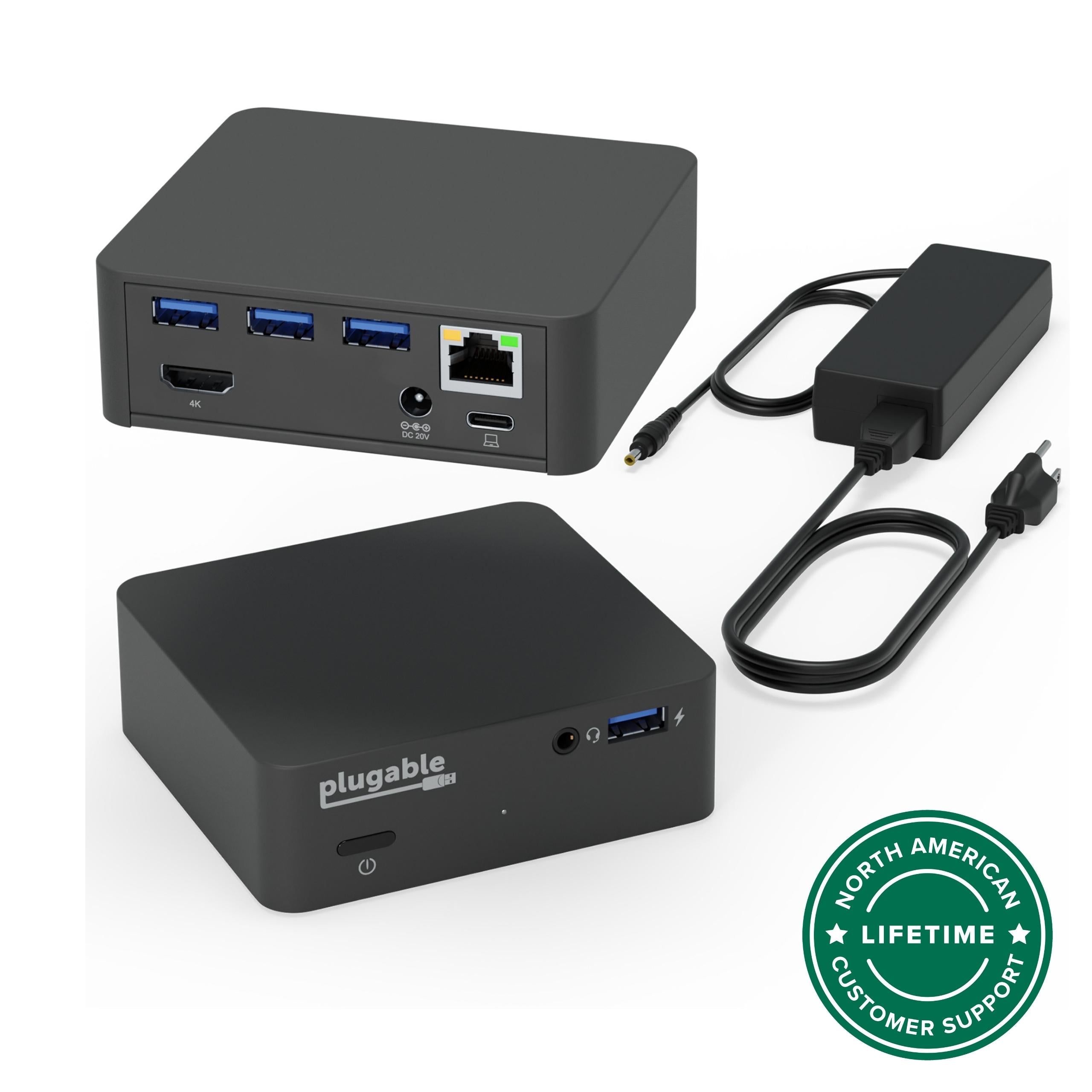
The Plugable UD-CUBE is a tiny USB-C mini dock for people who need a single HDMI monitor, wired Ethernet, and a few USB-A ports without carrying a full desktop dock. Plugable lists it as its smallest USB-C docking station, and the product photos put the size at 2.5 x 2.3 x 1.4 inches with a 130g weight. The port list is intentionally short: one HDMI output, one Gigabit Ethernet jack, one USB-A 3.0 5Gbps port, two USB-A 2.0 ports, a USB-C host connection, and a 5V 4A DC power input. Video is driverless because the dock uses USB-C DisplayPort Alt Mode from the laptop, tablet, or phone. That means one display up to 3840x2160 at 30Hz, 2560x1440 at 60Hz, or 1920x1080 at 60Hz on a host that supports USB-C video. It does not use DisplayLink, it does not create a second display, and it does not support DisplayPort monitors directly. The box includes the UD-CUBE Mini Dock, a USB 3.1 Type-C to Type-C cable, a 20W 5V/4A power adapter, and a quick start guide. Plugable's current page lists a $49.95 direct price, shows 85 Amazon reviews, and links its Amazon US review count to ASIN B07QFYRGW8. This is a small convenience dock, not a laptop power dock. Plugable's own FAQ says the UD-CUBE may supply up to 15W over USB-C, but that is not enough to charge most laptops, so you should keep the laptop's own power adapter connected.
Workaround: Keep the laptop's original charger connected, or choose Plugable UD-CA1A or another USB-C PD dock if one-cable charging matters.
Workaround: Choose a dual-monitor MST, DisplayLink, USB4, or Thunderbolt dock if two external displays need to run from one cable.
Workaround: Run 2560x1440 or 1920x1080 at 60Hz for smoother pointer movement, or buy a 4K 60Hz dock.
Workaround: Use the USB 2.0 ports for keyboard and mouse receivers, and reserve the USB 3.0 port for storage or faster peripherals.
Workaround: Treat it as a tiny HDMI, Ethernet, and USB-A cube. Pick a larger hub if media-card or headset ports are required.
Workaround: Check the laptop, tablet, or phone manual for DisplayPort Alt Mode, USB4, or Thunderbolt video support before buying.
| General | |
| Manufacturer | Plugable |
| Model | UD-CUBE |
| Release Date | 2019-05 |
| MSRP | $69.99 |
| Connectivity | |
| Host Connection | USB-C |
| Max Data Rate | 5 Gbps |
| Driver Required | No (native) |
| Display Output | |
| Max Displays | 1 |
| 1x Display | 3840x2160 @ 30Hz (Single HDMI output up to 4K@30Hz from a compatible USB-C DisplayPort Alt Mode host.) |
| 1x Display | 2560x1440 @ 60Hz (Plugable and third-party reviews list 2560x1440 at 60Hz as a supported lower-resolution mode.) |
| 1x Display | 1920x1080 @ 60Hz (Common 1080p@60Hz fallback for office monitors, hotel TVs, conference-room displays, and Samsung DeX setups.) |
| Ports (4+ total) | |
| USB-A 3.0 | 1x |
| USB-A 2.0 | 2x |
| HDMI 1.4 | 1x |
| Ethernet (RJ45) | 1x 1 Gbps |
| Power | |
| Power Input | DC-barrel |
Plugable lists Windows 10 and newer. HDMI output requires a USB-C, USB4, or Thunderbolt port with DisplayPort Alt Mode video support.
Plugable lists macOS 11 and newer, plus older page tags for macOS 10.14 and later. This is a one-display dock and does not bypass Apple Silicon external-display limits.
Plugable lists ChromeOS 100 and newer. The Chromebook still needs Thunderbolt, USB4, or a full-featured USB-C port with video output.
Plugable product media and third-party reviews show phone and Samsung DeX use. The phone or tablet must support USB-C video output, and desktop-mode behavior varies by device.
HDMI output will not work
No useful host charging
Only one HDMI output
4K is limited to 30Hz
HDMI-only video output
Good
The UD-CUBE makes sense when size matters more than charging or monitor count. It gives a USB-C, USB4, or Thunderbolt laptop a simple desk endpoint: HDMI, Ethernet, and enough USB-A for a keyboard, mouse, or receiver. It is also useful for Samsung DeX and some USB-C tablets because the cube can sit on a table while the host stays connected through a cable instead of hanging off the port. MacSources liked the small body, detachable USB-C cable, plug-and-play setup, and travel-friendly shape, but it also pointed out the same charging issue Plugable documents: the dock may look like it is charging the host, yet the 15W output is not enough for normal laptop charging. The Gadgeteer's review focused on phone and DeX use and noted the rear port layout, HDMI-only display requirement, and small physical size. Amazon and Plugable feedback is thin compared with larger Plugable docks, but the 85-review signal is enough to show that this is a real, long-running product rather than a dead listing. Buy it if you want a cheap, compact, driverless one-monitor dock for hotel desks, conference rooms, hot desks, or a DeX phone setup. Skip it if you need USB-C Power Delivery, dual monitors, 4K 60Hz, DisplayPort, SD cards, audio, or more than one fast USB port. Plugable's UD-CA1A is better if you need laptop charging, and the UDS-7IN1 is better if the main job is holding a tablet or phone upright.