Connection USB-C
Displays Up to 2
Power 85W PD
Driver Native
This page contains affiliate links. We may earn a commission at no extra cost to you. Read our affiliate disclosure.
 By Adrian Cel
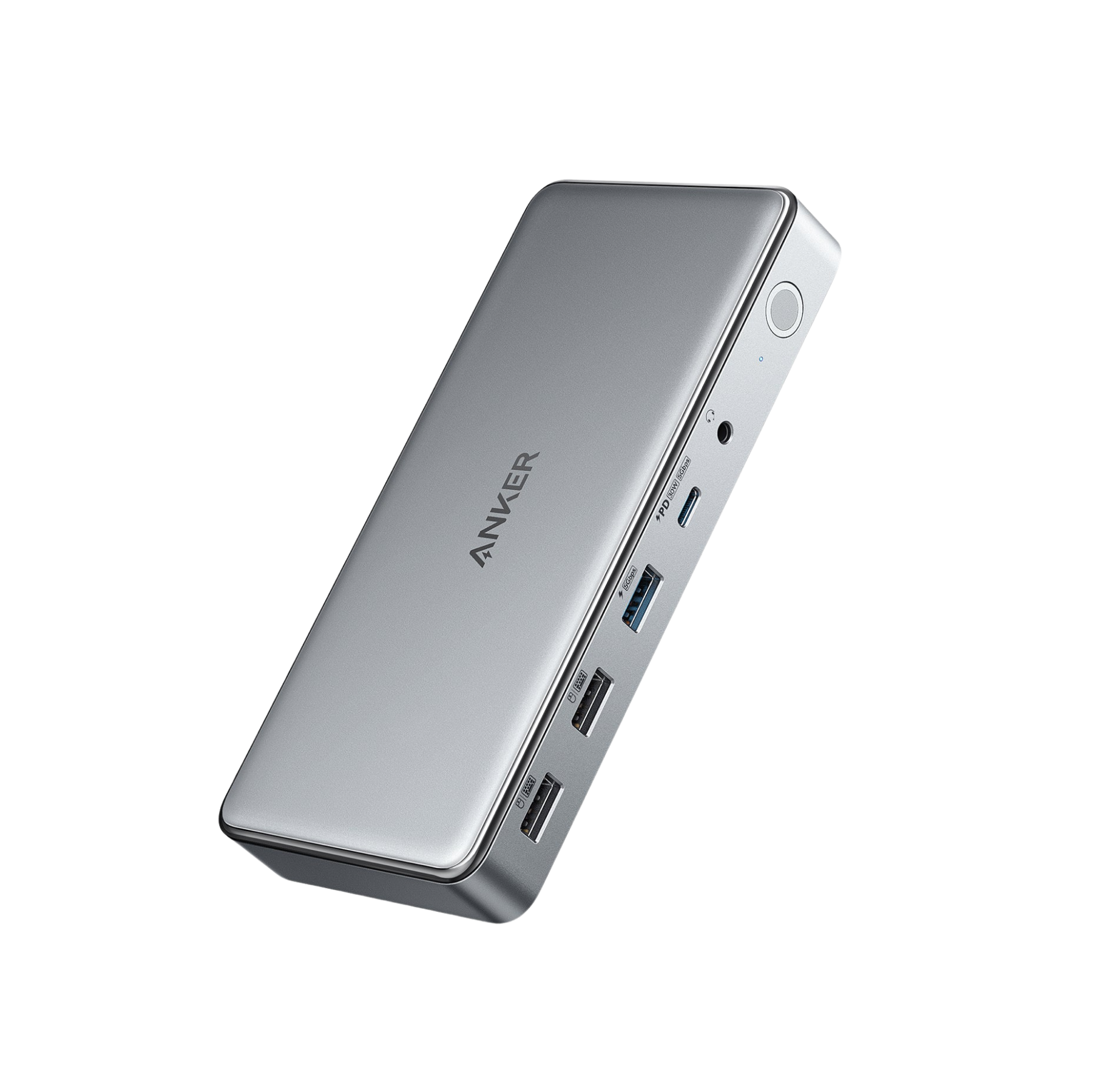
The Anker 554 USB-C Docking Station (KVM Switch), model A83K1, is a USB-C dock for people who keep two laptops on one desk and want one keyboard, mouse, monitor pair, and audio setup. Each laptop connects over USB-C, and the dock switches the shared peripherals with a button or magnetic remote. The host side is still USB-C, not Thunderbolt, so the connected computers need USB-C ports with Power Delivery, DisplayPort Alt Mode, and USB 3.2 support for the full feature set. Anker's official page lists up to 100W charging when one laptop is connected, or up to 65W to each laptop when both USB-C host connections are active. Video output comes from one HDMI 2.0 port and one DisplayPort 1.4 port, each rated up to 4K@60Hz. macOS is the big caveat: Anker says the displayed content is mirrored and macOS only supports dual 4K@30Hz through this dock. The USB-C downstream port is a 5Gbps data and 20W charging port, not a video output. If your desk moves between a work laptop and a personal laptop, the 554 solves a real cable problem. If you only use one computer, a normal USB-C dock or Thunderbolt dock usually makes more sense.
Workaround: Mac users who need two extended external desktops should use a Thunderbolt dock on Pro or Max chips, or a DisplayLink dock for base Apple Silicon.
Workaround: Add USB Ethernet or a card reader to one of the USB data ports, or choose a fuller desktop dock if those ports are daily requirements.
Workaround: Keep high-speed external SSDs connected directly to the laptop, or choose a Thunderbolt dock if storage speed matters.
Workaround: Use the included host cables, connect displays directly through HDMI and DisplayPort, update graphics drivers, and test wake-from-sleep behavior before relying on it for work.
Workaround: For gaming laptops or mobile workstations, keep the original charger connected or choose a dock with higher host power delivery.
| General | |
| Manufacturer | Anker |
| Model | A83K1 |
| Release Date | 2023-07 |
| Connectivity | |
| Host Connection | USB-C |
| Max Data Rate | 5 Gbps |
| Driver Required | No (native) |
| Display Output | |
| Max Displays | 2 |
| 1x Display | 3840x2160 @ 60Hz (Single 4K@60Hz through HDMI 2.0 or DisplayPort 1.4 on a compatible USB-C DisplayPort Alt Mode host.) |
| 2x Display | 3840x2160 @ 60Hz (Dual 4K@60Hz through HDMI plus DisplayPort is advertised by Anker. Host GPU, USB-C DisplayPort Alt Mode support, and cable choice still matter.) |
| 2x Display | 3840x2160 @ 30Hz (Anker says macOS mirrors the displayed content and only supports dual 4K@30Hz through this dock.) |
| Ports (8+ total) | |
| USB-C 3.2 | 1x (20W) |
| USB-C 3.2 | 2x (100W) |
| USB-A 3.2 | 2x (7.5W) |
| USB-A 2.0 | 1x (5W) |
| HDMI 2.0 / up to 4K@60Hz | 1x |
| DisplayPort 1.4 / up to 4K@60Hz | 1x |
| Audio (3.5mm-combo) | 1x |
| Power | |
| Power Input | DC-barrel |
| Laptop Charging | Up to 100W |
Best fit for independent dual-monitor use if the laptop's USB-C port supports DisplayPort Alt Mode, USB 3.2, and Power Delivery. Some buyer feedback mentions GPU-specific display recognition issues, so test the exact laptop if possible.
Supported for docking, charging, and mirrored external display use. Anker says macOS mirrors the displayed content and only supports dual 4K@30Hz through this dock.
Likely to work for basic USB-C docking on full-function USB-C Chromebooks, but display behavior depends on the host's DisplayPort Alt Mode support.
No monitor output
External displays mirror rather than extend independently
Charging ceiling may be too low
USB-C downstream port does not output video
Very Good
The Anker 554 is more useful as a two-laptop KVM dock than as a pure high-performance docking station. The appeal is simple: two USB-C host inputs, one physical switch, one HDMI output, one DisplayPort output, USB peripherals, audio, and laptop charging from the included 180W power adapter. That is a tidy setup for a Windows work laptop next to a personal MacBook, Steam Deck, or second USB-C laptop. It also comes with two 1 m USB-C cables, which matters because both host cables need to carry charging, data, and video. The trade-offs are not small. There is no Ethernet, no card reader, no downstream USB-C video, and the host connection is limited to USB 3.2 rather than Thunderbolt or USB4. Amazon and Review-Rating feedback point to a mixed but usable product: buyers like the KVM idea and Anker build quality, but some report display handoff problems, wake issues, and compatibility quirks with certain Windows GPUs or MacBooks. I would buy it for a desk where switching between two laptops is the whole point. I would skip it for a single-laptop workstation, a Mac dual-extended-display setup, or any laptop that needs more than 100W under load.